The Best Shopify Alternative for Small Businesses in 2026

Shopify is the default answer when someone says “I want to sell online.” It is easy to set up, well-documented, and widely recognised — but the economics tell a different story once you move past the free trial. For small businesses selling a modest catalogue of products, Shopify can cost more in recurring fees over three years than the entire development budget of a custom-built store. There is a better way — and it does not require sacrificing quality, speed, or any of the features your customers expect.
The Real Cost of Shopify for Small Businesses

Shopify Basic starts at $39 per month — $468 per year — before you sell a single product. Move to Shopify Standard for the lower transaction fee rate (which you need the moment your store generates meaningful revenue) and that climbs to $105 per month, or $1,260 per year. Over three years on the Standard plan, you have paid $3,780 before accounting for transaction fees on every order not processed through Shopify Payments: 1% on Standard, on top of whatever Stripe, PayPal, or your payment processor charges.
Plugin and app costs compound this further. The Shopify App Store is home to thousands of extensions — many free in name, but gated behind premium tiers the moment you need the features that actually matter. Wishlists, product reviews, advanced filtering, subscription billing, loyalty programmes: each adds $5–29 per month to your operating cost. A modest store running five essential apps spends an additional $600–1,200 per year on top of the base plan fee.
Theme costs are a one-time purchase on Shopify — typically $150–350 for a premium theme — but the themes are locked to the platform. When you eventually outgrow Shopify or decide the fee structure no longer makes business sense, you cannot take your theme with you. The investment is non-transferable.
“A Next.js ecommerce theme costs a one-time fee of €79–1,499. There is no month two. No transaction fee on top of Stripe’s standard 1.4% + €0.25. No app subscriptions. You own the code.”
Next.js + Stripe: The Stack That Powers Modern Independent Stores

The technical argument for Next.js + Stripe is straightforward: every page is pre-rendered as static HTML, which means sub-second load times on any device and a Lighthouse performance score consistently above 95. Shopify's average Core Web Vitals score on PageSpeed Insights tells a different story — third-party scripts, heavy theme JavaScript, and server-side rendering latency regularly push LCP above 2.5 seconds, the threshold below which Google begins to penalise ranking.
Stripe Checkout handles the payment flow with the same reliability that powers millions of transactions daily for businesses from startups to Fortune 500 companies. The integration in a Next.js store is direct: no plugin, no middleware, no monthly fee to a platform that sits between you and Stripe. You configure your API keys and price IDs once, and Stripe handles the rest — card processing, 3D Secure, international currencies, and webhooks for order fulfilment.
Deployment is free at the entry level. Vercel — the platform built by the creators of Next.js — has a generous free tier that covers traffic volumes most small stores never exceed in their first year. Your store is live on a global CDN with automatic HTTPS, zero configuration, and deployments that trigger on every code push. The infrastructure that large companies pay engineers to maintain is available to independent businesses for nothing.
Which Shop Template Fits Your Niche?
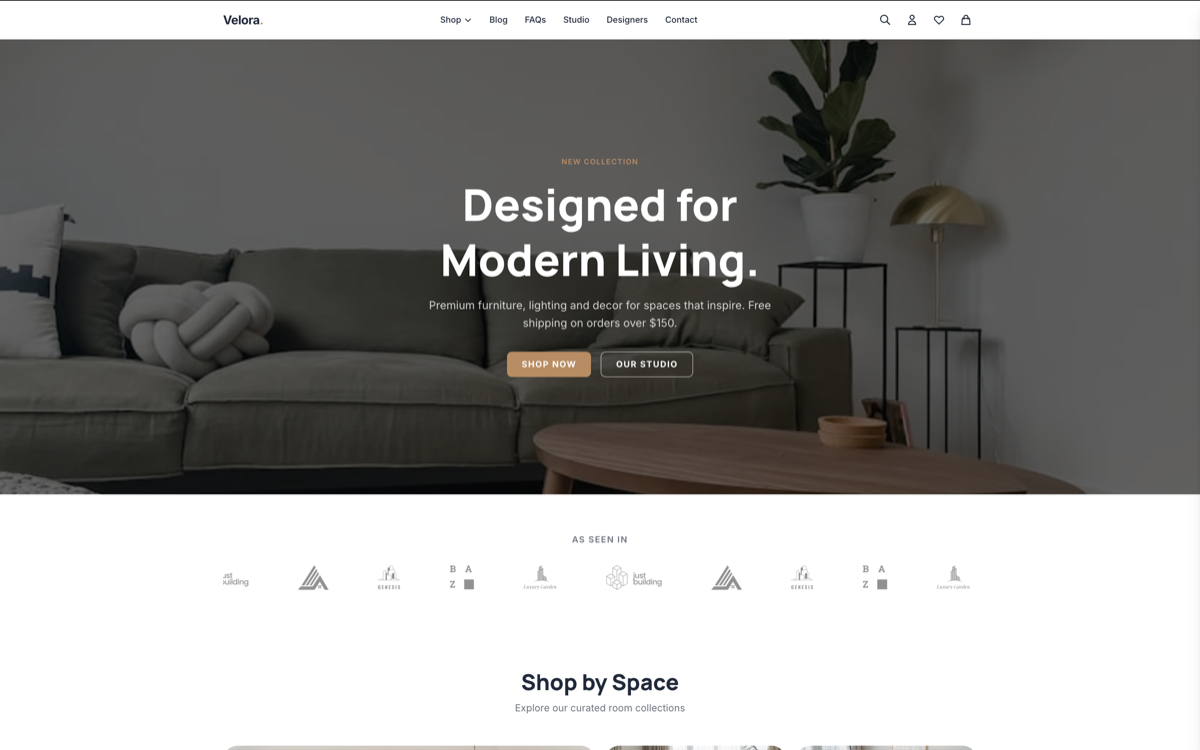
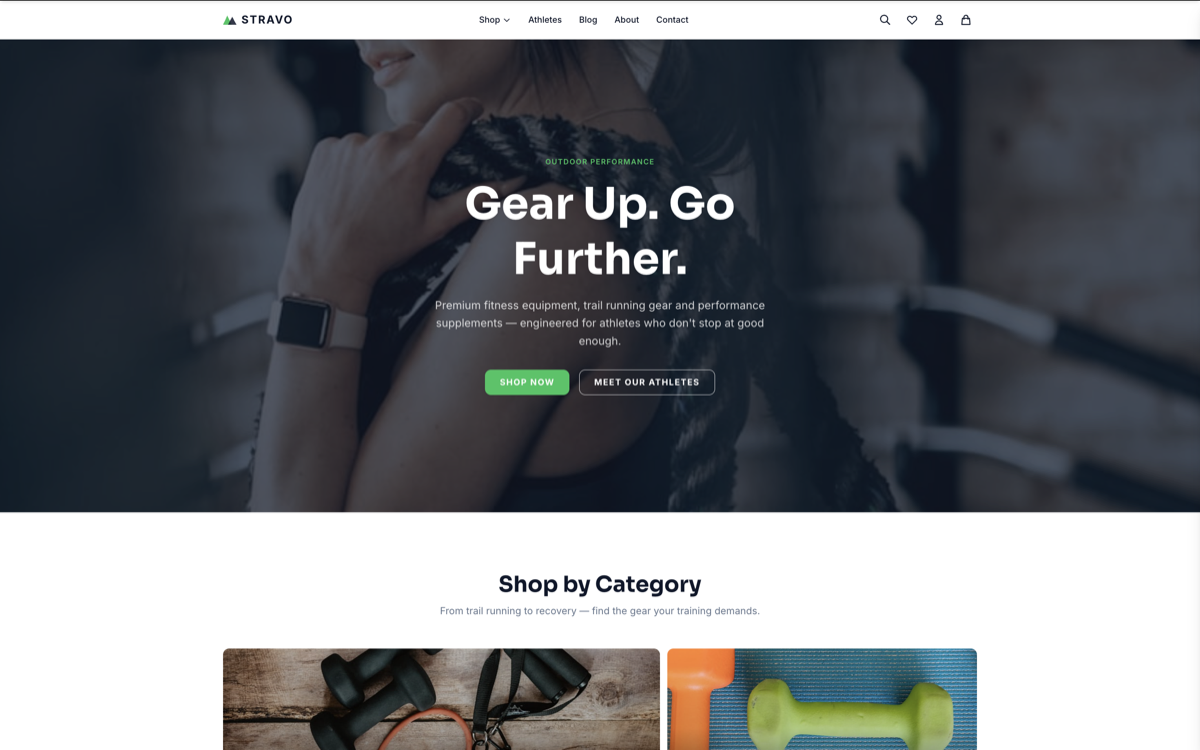
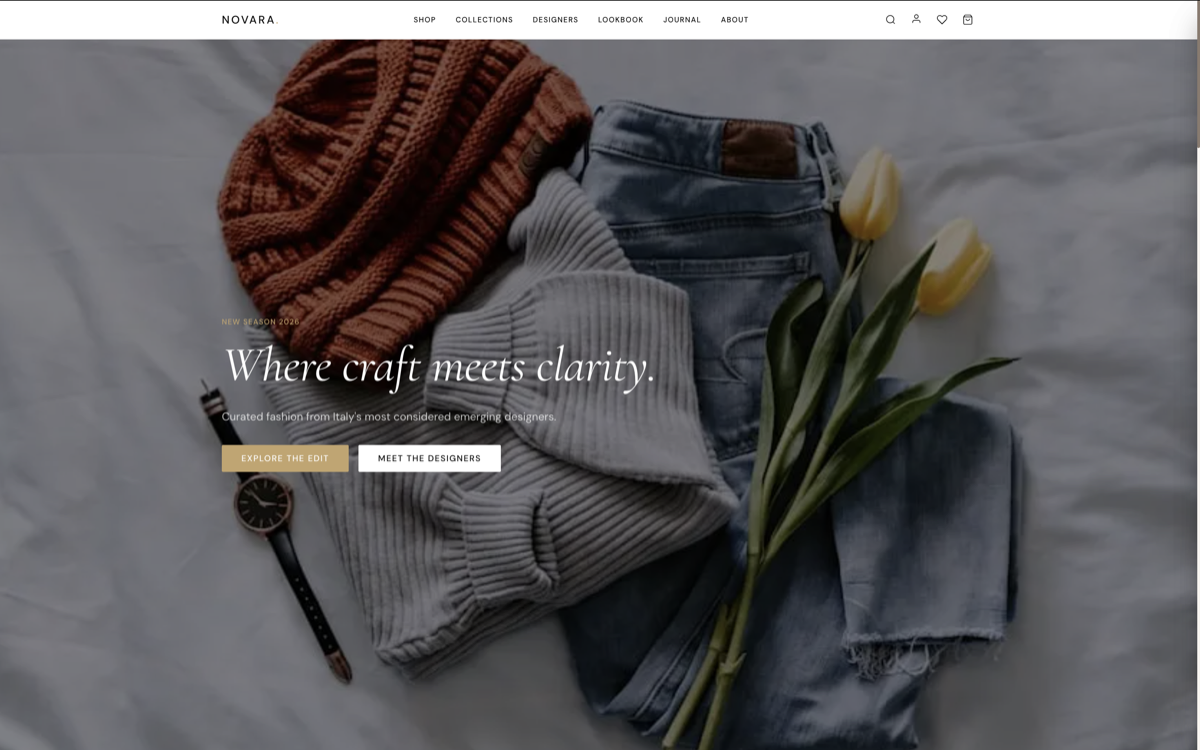
Not every store sells the same products or appeals to the same customer. A beauty brand, an outdoor gear shop, and a home goods store have fundamentally different visual languages and customer journeys — and the template you choose should reflect that. Here is how three of the available shop themes map to specific markets.
Shop Themes by Niche
Find your market fit
Every Layero shop theme is built for a specific vertical — with the visual language, product layout, and interaction patterns that convert in that category.
BROWSE ALL SHOP THEMESarrow_forward
Switching From Shopify: What to Expect

Moving from Shopify to a Next.js store is simpler than most people expect — especially for small stores with a contained product catalogue. Product data, customer records, and order history can be exported from Shopify in CSV format. The static product data files in a Next.js shop theme are straightforward to populate from a spreadsheet. For stores requiring dynamic product management, the MAX plan includes Payload CMS integration — a full admin panel for adding, editing, and removing products without touching code.
Domain transfer is a one-time DNS change. Stripe accounts are portable — you use the same Stripe account you may already have, simply connecting it to the new store via API keys. Existing Stripe customers, saved payment methods, and subscription records remain untouched. The store is live on a new technical foundation; from the customer's perspective, nothing changes except that the site is faster.
The primary effort is in content migration. Product descriptions, images, and metadata need to be moved to the new structure. For stores managed through the PRO or MAX plan, this is handled by the setup team — you provide the data, and the store is configured and deployed for you. For developers handling the migration themselves, the process typically takes one to three days depending on catalogue size.